Rules
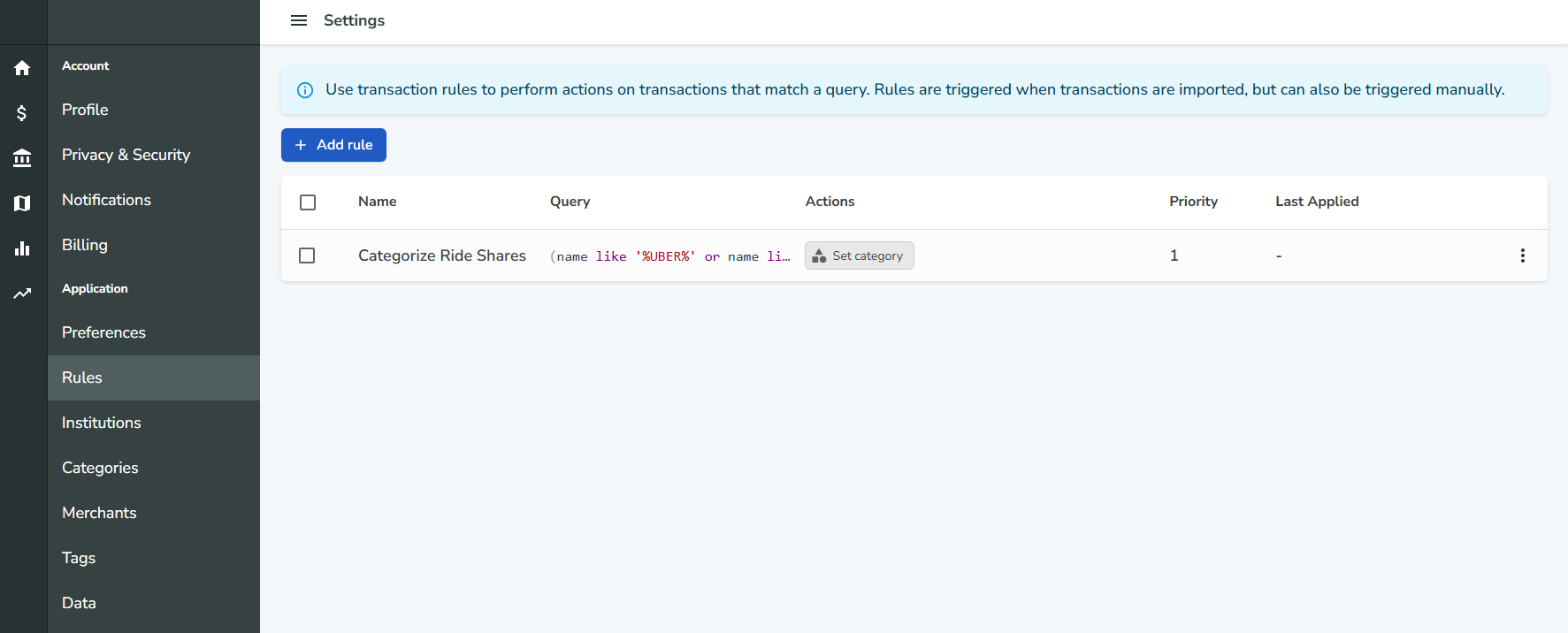
Rules allow you to automatically execute actions on transactions that match specific criteria. They are a powerful way to automate transaction management and streamline your workflow.
Purpose and Use Cases
Rules are designed to help you:
- Automatically categorize transactions
- Set merchants or amounts
- Mark transactions as cleared or uncleared
- Delete unwanted transactions
- Apply custom logic to transactions as they are imported or on demand
Common use cases include:
- Automatically categorizing recurring bills
- Flagging or deleting duplicate or unwanted transactions
- Setting merchants for transactions from specific sources
Creating a Rule
You can create rules from the
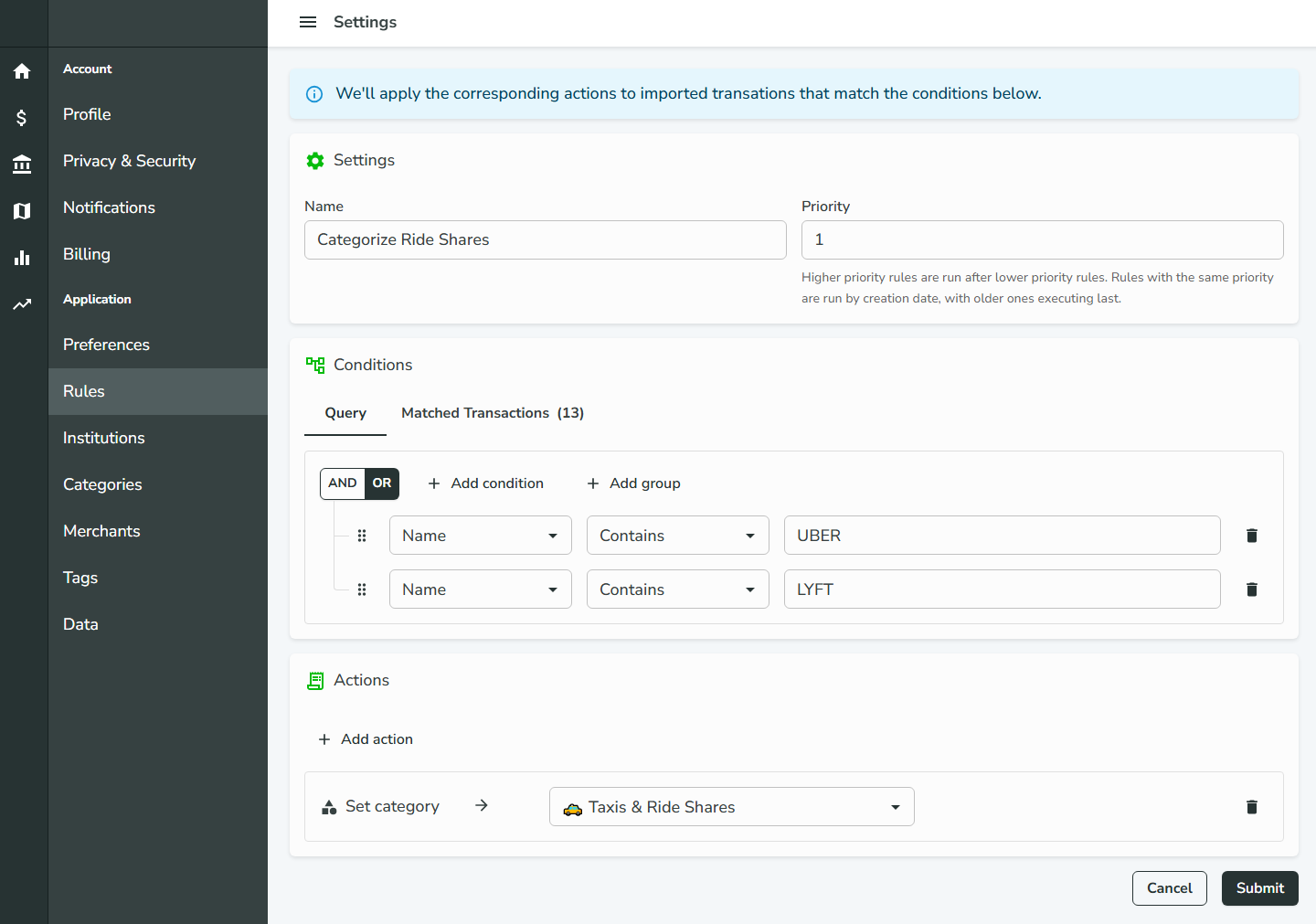
Rules page. Each rule consists of:- Name: A descriptive label for the rule
- Priority: Determines the order in which rules are executed
- Query/Conditions: Define which transactions the rule applies to, using complex boolean logic (e.g., "if this and this, and not that"). You can nest groups infinitely for advanced logic.
- Actions: The set of operations to perform on matched transactions (e.g., set category, set merchant, set amount, mark as cleared/uncleared, delete transaction, and more)
Rules can be edited or updated at any time.
Previewing Matched Transactions
When creating or editing a rule, you can preview which transactions match its conditions. Use the Matched Transactions tab in the Conditions card to see a real-time list of transactions that would be affected by the rule.
When Rules Are Executed
- Automatic Execution: Rules are automatically executed when transactions are imported via Plaid.
- Manual Execution: You can also run rules manually from the Rules page.
Rule Priority and Execution Order
- Rules with lower priority numbers are run first.
- If multiple rules have the same priority, the rule created earlier (older) is executed last.
- This allows you to fine-tune the order in which rules are applied, ensuring that more specific or important rules can override others if needed.
By leveraging rules, you can automate much of your transaction management, saving time and reducing manual effort.