Budgets
Budgets in Bigger Piggy help you plan, track, and manage your spending and income for each category on a monthly basis.
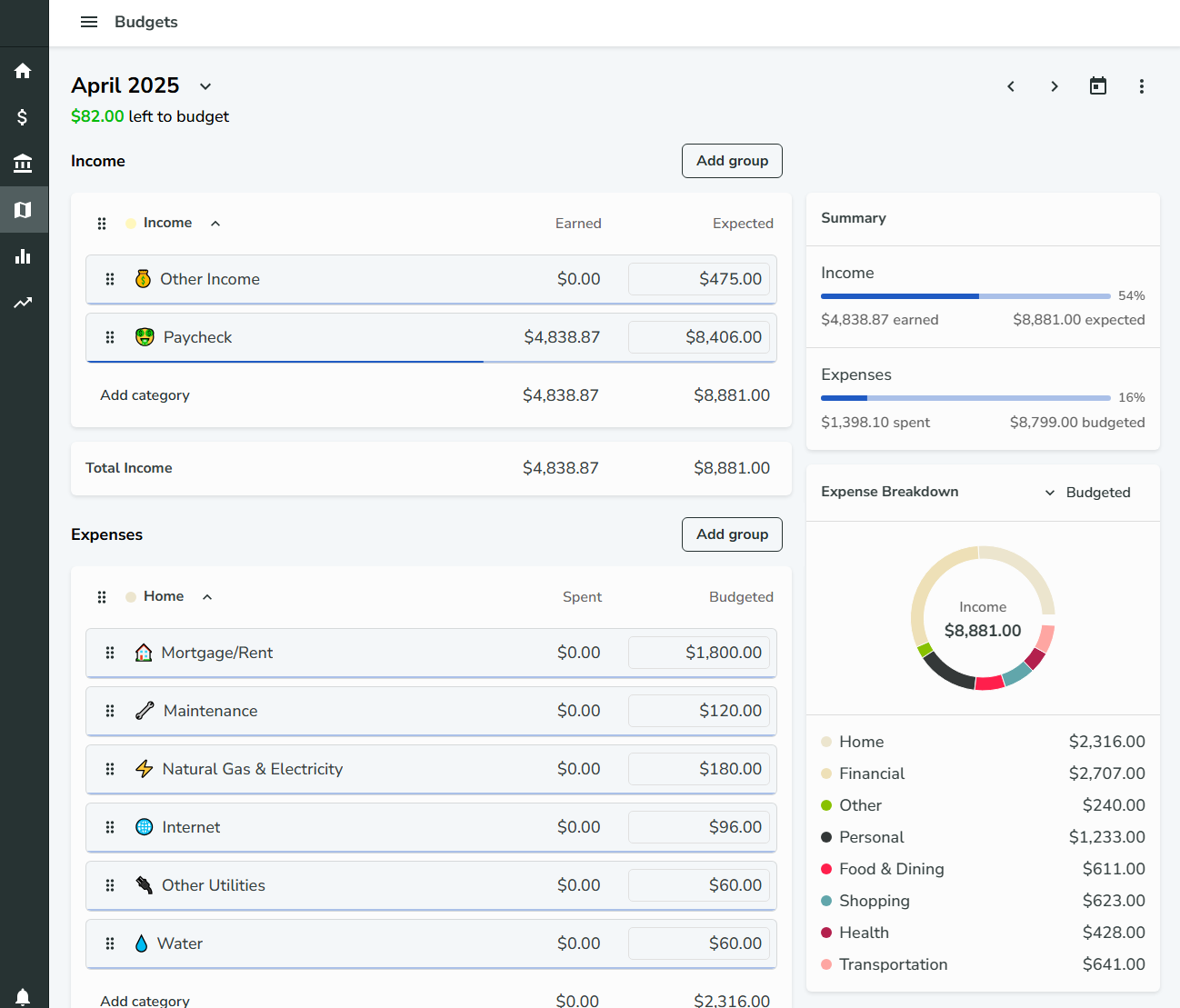
How Budgets Work
- Each category has an associated budget
- Budgets are set monthly
- Budgets have two main components:
- Amount Spent or Earned: The total spent (for expense categories) or earned (for income categories) in the selected month
- Amount Budgeted or Expected: The target amount you plan to spend (or expect to earn for income categories)
Navigating Budgets
- Use the next/previous month buttons in the top right of the Budgets page to move between months
- You can also use the month selector next to the month heading to quickly jump to a specific month
Managing Budgets
- Clear the currently viewed budget by clicking the "Clear budget" option in the additional settings menu (three dots)
- Copy the previous month's budget to the current month by clicking the "Copy last month's budget" option in the additional settings menu
Budget Notifications
- You can receive a notification when a budget has been exceeded
- This notification can be turned on or off in the Notifications settings page
By setting and managing budgets for your categories, you can gain better control over your finances and make more informed spending and saving decisions.