Accounts
Accounts in Bigger Piggy represent your real-world financial accounts and are essential for tracking your net worth, transactions, and financial health.
Account Integration
There are two types of accounts:
- Linked Accounts: Use Plaid to automatically import your transactions as they occur.
- Manual Accounts: Require you to create transactions manually, either through the UI or by uploading a CSV file.
Main Account Categories
There are four main account types:
- Depository (Asset)
- Credit (Debt)
- Investment (Asset)
- Loan (Debt)
Depository and Investment accounts are considered assets, while Credit and Loan accounts are considered debt. This distinction is used to calculate your net worth.
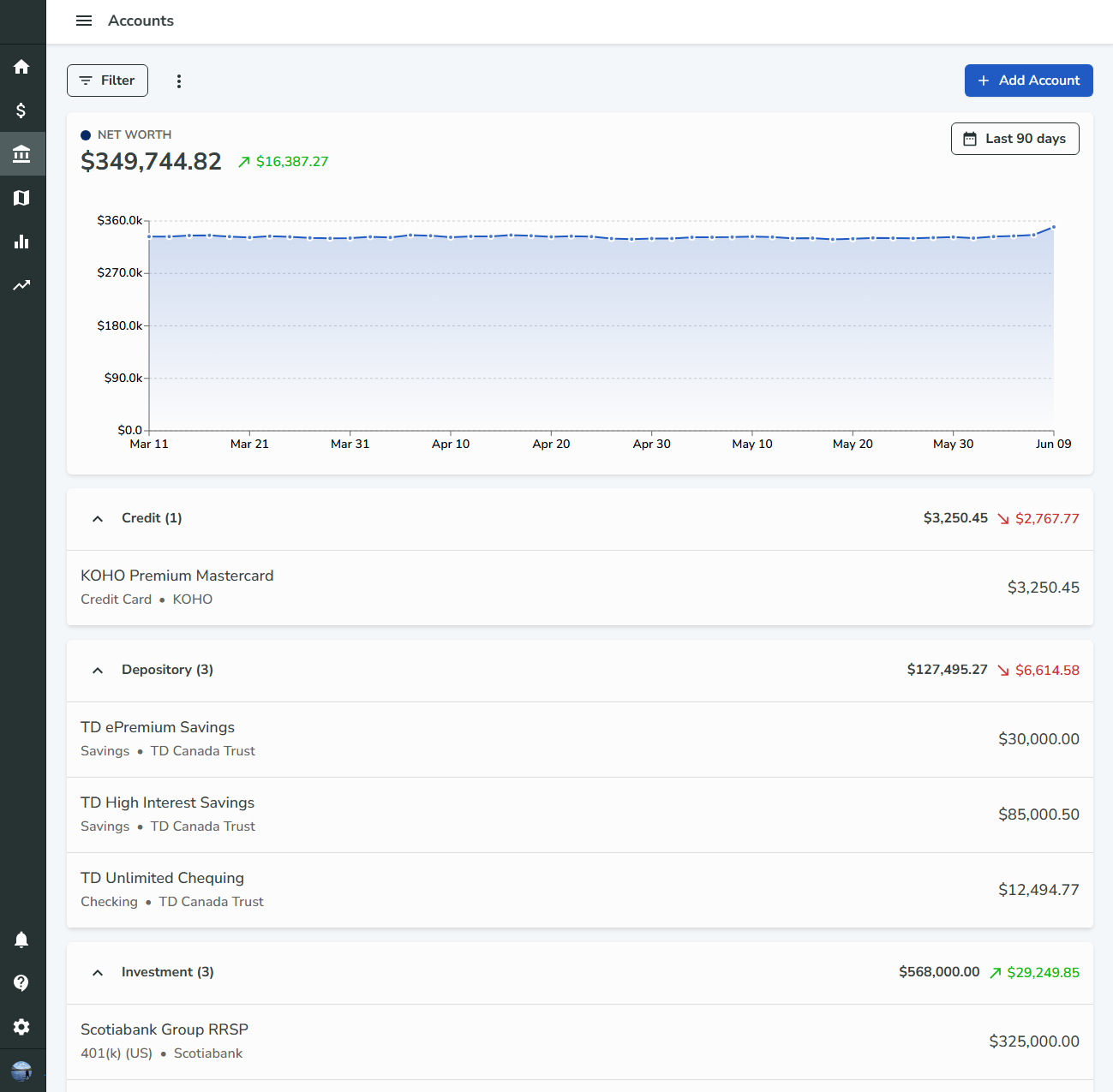
Accounts Page Overview
- The accounts page is filterable by account type, name, institution, account balance, and transaction count.
- At the top of the page, a line chart displays your net worth over the selected time period, calculated using historical account balances.
- Adjust the time period using the date range selector in the top right of the chart card.
Adding an Account
- Click the Add Account button in the top right of the page.
- Choose either Linked or Manual:
- Manual: Opens a form to enter account details.
- Linked: Walks you through the Plaid link process.
Grouping Accounts
- Accounts can be grouped by institution or account type.
- Change the grouping in the additional settings menu in the top left of the page.
Editing Accounts
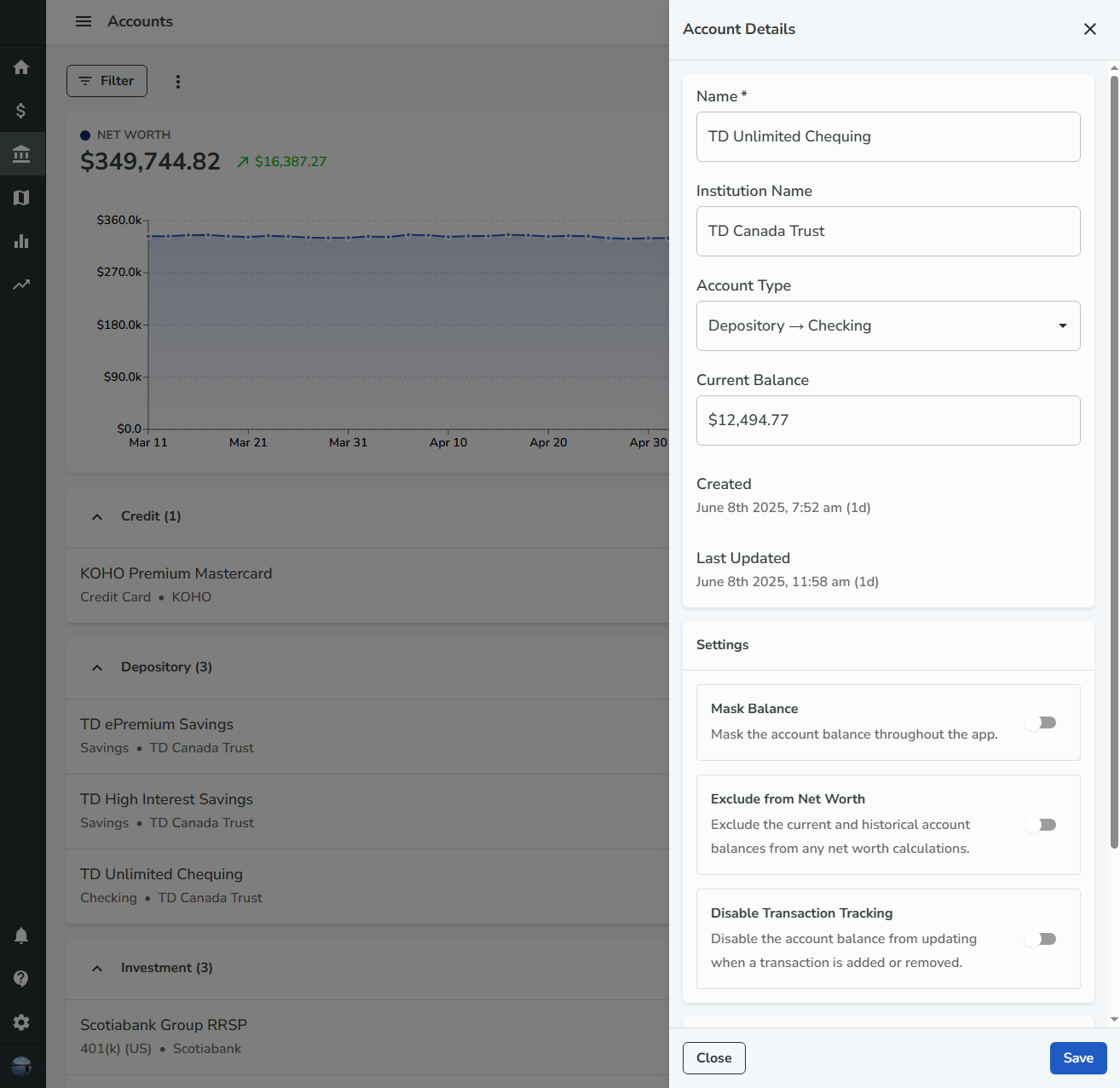
- Click an account card to open a drawer with additional details.
- Update properties such as name, account balance, and institution name.
Exclude from Net Worth
In the account drawer Settings section, Exclude from Net Worth removes an account from every net worth calculation in the app:
- The net worth total and chart at the top of the Accounts page
- Home dashboard net worth KPI and trend widgets
Both the account’s current balance and historical daily balances are omitted. The account still appears in your account list with its balance; only net worth totals and charts skip it. Asset and liability signing (for example, credit and loan balances counting as debt) applies only to accounts that are included.
Account Balances
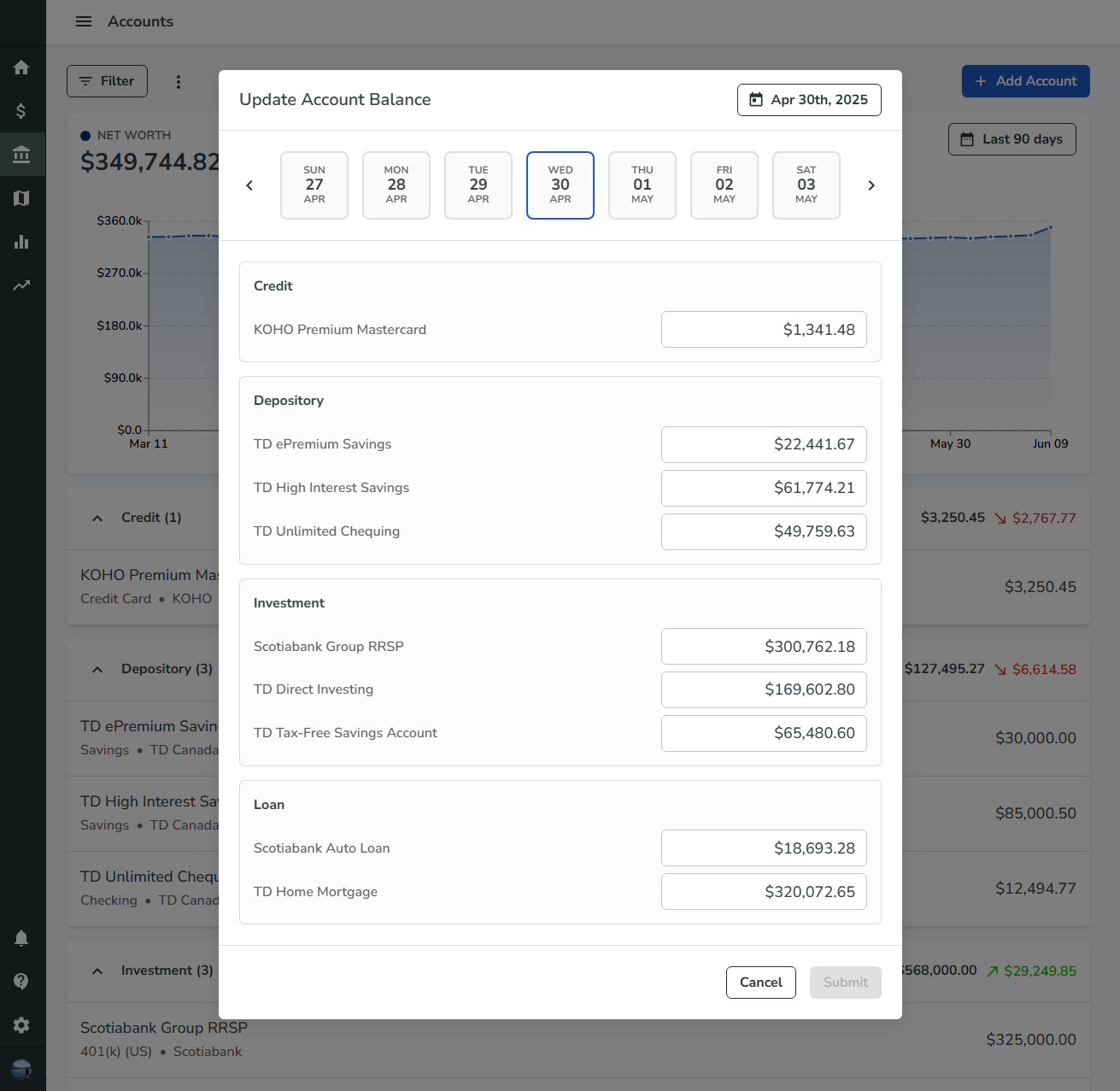
- Account balances are recorded at the end of each day for every account.
- These balances are used in the net worth chart.
- Update balances for a specific day by clicking on the chart for that day, which opens a dialog with a list of accounts and their balances.
- Override balances by uploading a CSV file ("Upload Account Balances" in the additional settings menu).
- Download balances by clicking "Download Account Balances" in the additional settings menu.
Transaction Tracking
- When a manual transaction is created, the default behavior is to update the associated account's balance.
- This can be disabled at the account level in the account detail drawer by enabling the Disable Transaction Tracking switch.
Notifications
- Receive a notification when an account balance falls below a certain amount.
- Configure this in the Notifications settings page.
By managing your accounts in Bigger Piggy, you can keep an accurate view of your financial situation, automate transaction imports, and ensure your net worth is always up to date.