Dashboard
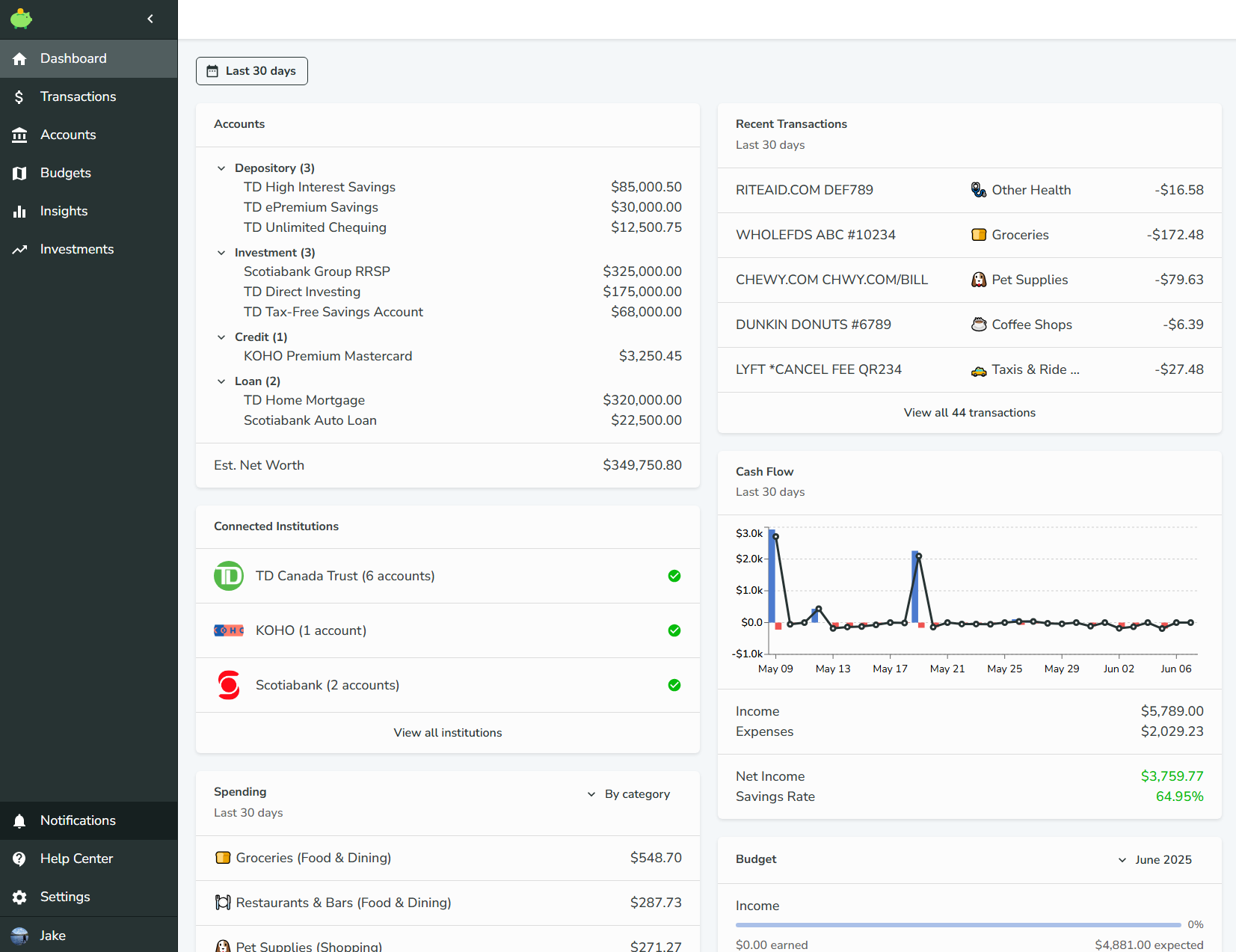
The Dashboard is the first page you'll see when you login to Bigger Piggy. It provides a high-level summary of your financial activity and key metrics within the app. Here you can quickly view your account balances, recent transactions, budget status, and personalized insights to help you stay on top of your finances.
Date Range Selector
The date range selector allows you to filter your financial data by a specific time period. Depending on the context, you may see either a custom date range (for example, "June 1st 2025 - June 30th 2025") or a preset period such as "Last 60 days" or "Last month." This date range selector will appear in various sections throughout the app and is used to filter the data displayed in the component.
Widgets
The Dashboard is comprised of multiple widgets that provide different views into your financial data.
- Accounts: Displays all accounts grouped by account type along with their current balances. At the bottom, you'll see your estimated total net worth.
- Recent Transactions: Shows your transactions for the selected date range, giving you a quick look at your latest financial activity.
- Cash Flow: Visualizes your cash flow for the given date range as a bar chart, with a summary of your net income and savings rate at the bottom.
- Spending: Highlights your top spending by various group aggregates, such as category, category group, or merchant.
- Budget: Provides a budget summary for the selected month, displayed as progress bars. (Use the month selector in the widget to change the month; this widget does not use the page date range selector.)
- Connected Accounts: Displays all financial institutions you've connected via Plaid, along with the current health status of each connection.
Rearange Widgets
You can rearrange the widgets by dragging and dropping them.
Request a Widget
Have an idea for a new dashboard widget? We'd love to hear from you! You can request new widgets or suggest improvements by reaching out to us on
Discord or by sending an email.We're always looking to make the dashboard more useful for everyone!